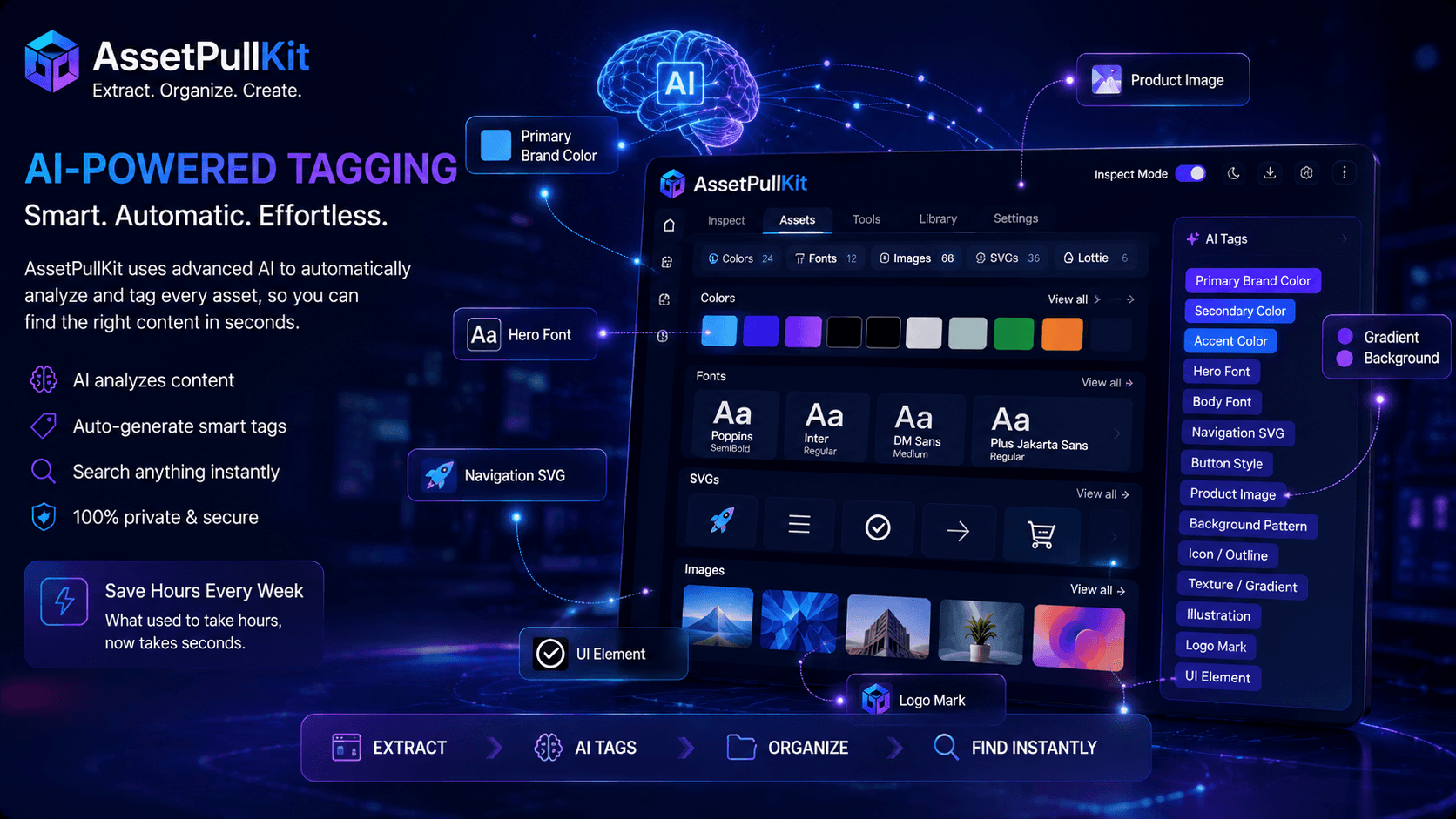
Finding an asset is only half the battle - remembering what you called it and where you put it is the other half. AssetPullKit's AI-powered tagging feature changes this entirely by automatically naming and categorizing every asset you extract, so your library stays organized without any manual effort on your part.
The Problem with Manual Asset Organization
Ask any designer to show you their downloads folder and prepare to wince. Files named 'image1', 'untitled', 'screenshot_final_v2_FINAL' are the norm when assets are extracted manually without a systematic naming convention. Finding anything later becomes a guessing game.
Manual tagging requires discipline and time - two things that are always in short supply during active project work. The result is asset libraries that start organized and gradually decay into chaos as deadlines press in.
AI-powered automatic tagging solves this at the source, ensuring every extracted asset is meaningfully labeled the moment it enters your library.
How AssetPullKit's AI Tagging Works
When you extract an asset with AssetPullKit, the extension analyzes its visual properties - color values, file type, context on the page, surrounding elements - and generates descriptive tags automatically. A primary brand blue gets tagged as 'Primary', 'Blue', 'Brand Color'. A hero image gets tagged with its dominant visual subject.
SVG files are analyzed for their icon category - navigation, social, UI, decorative - so you can filter your SVG library by type rather than scrolling through every file. Fonts are tagged with their style characteristics: serif, sans-serif, display, monospace, along with weight and intended use based on how they appear on the source page.
The result is a self-organizing asset library that becomes more useful the more you use it, rather than one that degrades over time.
Searching Your Asset Library with AI Tags
With AI tags in place, searching your AssetPullKit library becomes natural language search. Type 'warm background' and find all extracted warm-toned background colors and images. Search 'minimal icon' and surface all outline-style SVGs you have collected. The tags do the organizational work so you can focus on the creative work.
This is especially powerful for teams working across multiple clients or projects simultaneously, where assets from different sources need to be accessible and distinguishable without constant manual management.
Key Takeaways
- Manual asset organization breaks down under deadline pressure - AI tagging solves this automatically.
- AssetPullKit analyzes extracted assets and generates descriptive tags at the moment of extraction.
- Colors, SVGs, fonts, and images are all tagged with relevant, searchable properties.
- Natural language search through your tagged library makes asset retrieval instant.
- Try AssetPullKit's AI tagging at AssetPullKit.com.