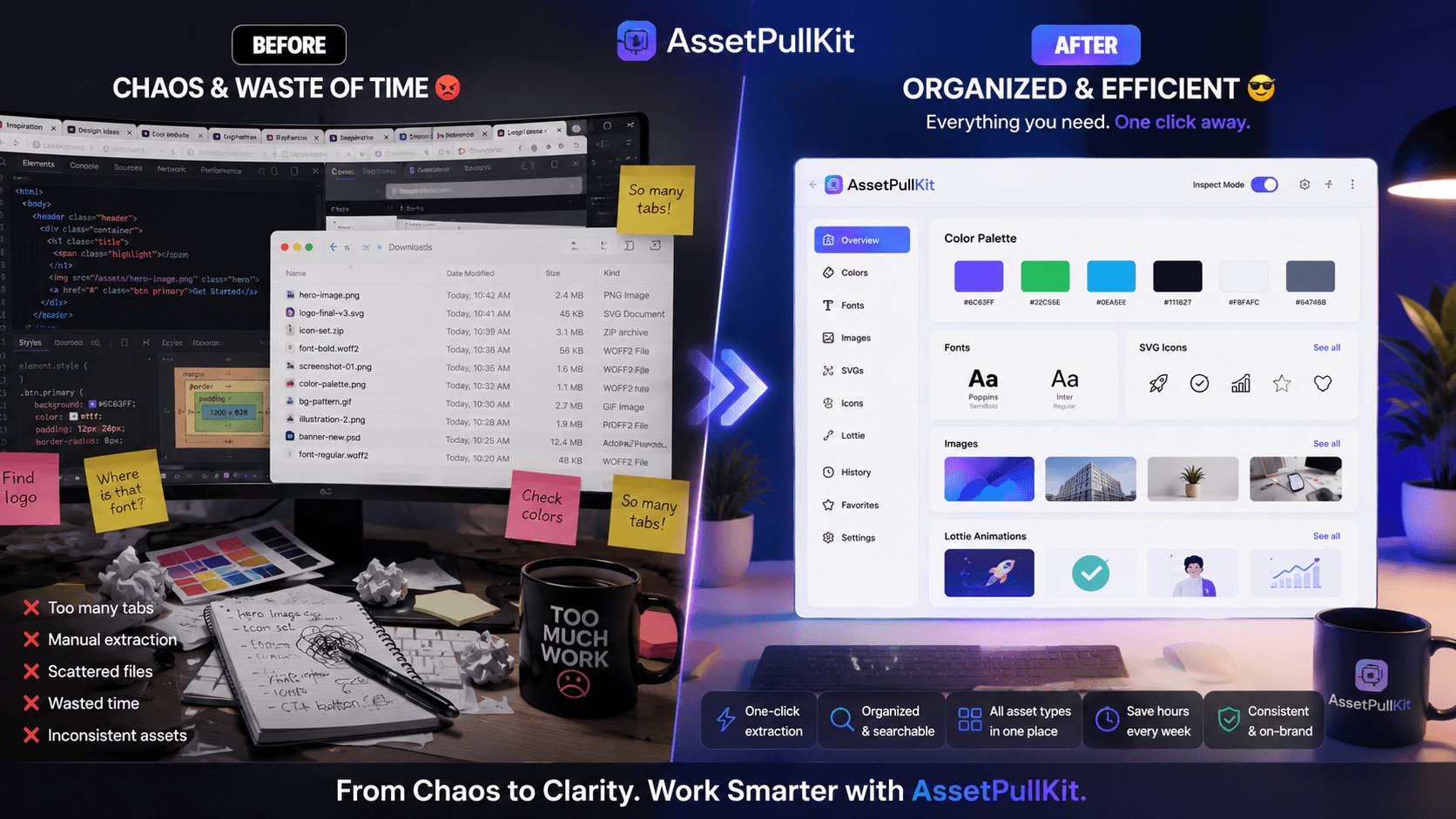
The gap between a chaotic creative workflow and a streamlined one is often not skill or talent - it is tooling. When designers and marketers have to wrestle with their tools just to find basic assets, creativity suffers. AssetPullKit bridges that gap by transforming the messy 'before' of web asset extraction into a clean, fast, satisfying 'after.'
The 'Before': A Typical Asset Hunting Session
You find a website with perfect branding. You need the color palette. So you open DevTools, navigate to the Elements panel, click through nested divs, find a color value buried in a stylesheet, copy the hex, paste it somewhere safe - then repeat for every element. Twenty minutes later, you have three colors and a growing headache.
Images are even worse. Background images set via CSS cannot be right-clicked and saved. You end up inspecting the source, finding the URL, opening it in a new tab, and downloading it manually. For SVGs, you might copy the raw SVG code from the DOM and pray it renders correctly when you paste it elsewhere.
Fonts require yet another tool - a separate browser extension or a manual font inspection workflow. By the time you have everything you need, your creative momentum is gone and your original inspiration has faded.
The 'After': AssetPullKit in Action
With AssetPullKit installed, the same workflow takes under two minutes. Click the extension icon, activate Inspect Mode, and hover over any element to see all its styles instantly. Click the Colors tab and the full page palette is right there - every unique color, ready to copy.
Images appear in a gallery view. Click once to download. SVGs are detected automatically - inline SVGs, icon libraries, and logo files all appear in their own panel ready to copy or download. Fonts are listed with all their properties. The entire experience feels like having a design X-ray for every website you visit.
Everything runs locally in your browser. No sign-up required for the core features. No data leaves your machine. It just works.
The Downstream Impact on Creative Output
When friction is removed from the asset gathering phase, creatives spend more time in the ideation and execution phases - the parts of the job that actually require human creativity. The before/after is not just about one task; it compounds across an entire day, week, and month of work.
Teams report feeling less frustrated, less context-switched, and more focused when their tools match the speed of their thinking. AssetPullKit is one of those rare tools that genuinely gets out of your way while giving you exactly what you need.
Key Takeaways
- Manual asset extraction from websites is slow, frustrating, and breaks creative flow.
- AssetPullKit replaces a 20-minute workflow with a 2-minute one.
- Colors, fonts, images, and SVGs are all accessible from a single extension panel.
- The tool is private, local, and free - no account required.
- Removing friction from asset gathering has a compounding positive effect on creative output.